
School Entrance & Hallway Solutions: Improving Campus Communication and Engagement
Explore how school digital signage technology optimizes high-traffic areas on campus and helps improve onsite safety and student engagement.

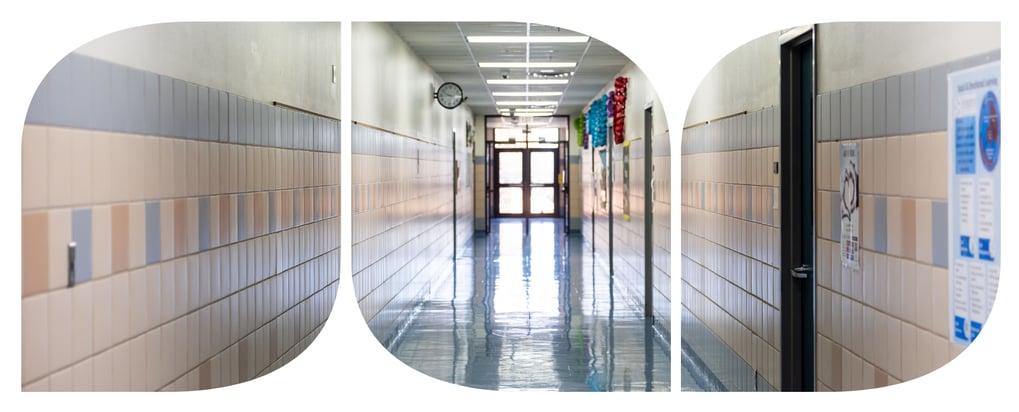
School entrances and hallways are usually the busiest and most visible spaces on campus. They serve as the first point of contact not only for students and staff but also for parents, prospective learners, district officials, and other visitors.
Optimizing these high-traffic areas takes much more than simple surveillance cameras. To improve campus safety and student engagement, this guide introduces various technology including school digital signage and electronic lobby check-in systems worth consideration in the creation of your school technology plan.
What Technology Is Needed in School Entrances and Hallways?
Because entrances and hallways experience constant foot traffic, they benefit from technology solutions that help improve communication, safety, security, and engagement. As you evaluate your school's technology plan, consider the following solutions.
School Digital Signage Kiosks
Instead of traditional bulletin boards, modern school digital signage kiosks use screens that similarly communicate information to the greater school population, but more dynamically.
These hallway displays, which may be used interactively, can aid in promoting school events, recognizing outstanding students and faculty, sharing activity calendars, and providing information for new visitors.
Because these screens connect to school digital signage software, content can be updated remotely across various displays at once. This allows for centralized control of educational digital signage across different buildings, or even different schools within a district.
How to choose the right solution: If you’re planning to buy digital signage kiosks for your school, look for choices built with durable, vandal-resistant enclosures and easy-to-read screens that hold up even in busy hallways. Prioritize signage software that supports remote scheduling and cloud-based content management, so staff can update the displays without having to be onsite.
Flat Panel Displays
Unlike school digital signage, flat panel displays tend to serve as passive viewing devices used for one-way information broadcasting. While they’re also typically used as hallway displays, another way to employ them is inside classrooms, where teachers may need a reliable screen for lessons and presentations rather than rotating, campus-wide content.
How to choose the right solution: Choose displays with reliable connectivity (HDMI and wireless casting options preferred) and anti-glare screens that accommodate classroom lighting. Confirm whether the mounting hardware is rated for daily use. If the displays will be used for presentations, confirm if they support the input types teachers already use.
Digital School Marquee Signs
School marquees nowadays have traded changeable letter boards for dynamic LED school signs, but the purpose remains the same. Unlike school digital signage you’d typically find indoors, marquee signs are built for outdoor use to reach the wider community before they even enter campus.
This makes them ideal for promoting open houses, athletic events, fundraisers, school closures, and student achievements, as well as communicating emergency messages and weather alerts.
How to choose the right solution: Since school marquees are installed outdoors, make sure yours are weather-resistant with high-brightness displays and full-color capabilities. They should be visible both in direct sunlight and after dark, performing reliably in every condition.
School Surveillance Cameras
To ensure campus safety, school surveillance systems should be a non-negotiable part of every modern technology plan.
In particular, surveillance cameras installed in school hallways and entrances support faster incident responses, helping to deter vandalism, property damage, bullying, unauthorized access, smoking, and other inappropriate conduct on campus.
How to choose the right solution: Prioritize high-resolution cameras with strong low-light performance and, if possible, AI-powered analytics that can flag unusual activity in real time. Check if the system can also integrate with your existing access control and check-in tools for a more seamless install.
Electronic School Check-In Systems
A digital school lobby check-in system replaces paper visitor logs with a much faster, more secure process that creates an accurate digital record of each visit. Visitors simply need to scan an ID or QR code to receive a printed badge. This scan also prompts an automatic notification to the staff member with whom the visitor is meeting.
To strengthen campus security without extra staff administrative work, many schools choose a check in-system that can integrate with existing surveillance and access control systems.
How to choose the right solution: On top of making sure that your system supports ID verification, badge printing, QR code check-in, and seamless integration with your existing security technology, look for the ability to automatically screen visitors against custody or watch lists. This capability adds a layer of protection that parents and students alike would be grateful for.
Building a Technology Plan for School Entrances and Hallways
You can choose the best technology for safer entrances and hallways, but success isn’t guaranteed if your approach isn’t thoughtfully planned.
How to Plan Technology Upgrades
Before investing in new tools like school digital signage, here are some considerations to help guide technology planning:
- Audit your current technology stack. This step helps to identify outdated equipment, gaps, and overlapping tools.
- Prioritize investments. Pinpoint which upgrades are urgent based on your school's most pressing communication, safety, and operational needs.
- Align technology with learning outcomes. Choose solutions that support teaching and student engagement, on top of security.
- Plan for scalability and integration. New technologies must work seamlessly with existing infrastructure and should grow with the school's needs.
Common Mistakes to Avoid
Avoiding errors at the planning stage can help maximize the investment and improve adoption in the long run. Here are a few mistakes to be wary of:
- Over-purchasing tools before goals have even been defined, or without clear understanding of how they'll be used
- Not training teachers and staff on the technology, thereby limiting its efficacy
- Not involving stakeholders, especially IT staff and administrators, during planning and purchasing
- Treating technology as a one-time purchase instead of budgeting for maintenance and necessary upgrades over time
Make Your School Smarter With Bluum
Technology investments should come with a plan. With Bluum, receive an accurate assessment of your school’s operational needs, helping to choose the right solutions and foster a safer and more connected learning environment.

Integrate Technology Across the School to Boost Outcomes
Technology planning shouldn’t be limited to high-traffic areas. Other key areas on campus, especially those used for learning and engagement, also influence student well-being and academic achievement. By taking the same thoughtful approach across all spaces, schools can create a more connected and effective learning experience.
As you continue building your technology plan, consider how different spaces can benefit from purpose-built solutions such as:
| School gymnasiums |
|
| Computer labs |
|
| Science labs |
|
| Libraries and media centers |
|
| Arts and music spaces |
|
| Parking lots and drop-off areas |
|
Create Safer, Smarter School Spaces with the Right Technology
When implemented strategically, technology can transform school entrances and hallways into spaces that improve safety and create welcoming experiences for students, staff, families, and visitors alike.
Whether you're investing in school digital signage, surveillance systems, visitor management platforms, or interactive displays, the greatest results come from choosing solutions that align with your school's goals and infrastructure instead of simply adopting the latest trends.
Developing that strategy can be challenging when you’re balancing budgets and the school’s future growth. But with an experienced education technology provider like Bluum to guide decisions, you can build a future-ready technology plan that puts your campus on the map for good.
Let Bluum Co-Design Your School's Technology Plan
All it takes is one technology partner to raise your school’s standards. Work with Bluum to create a technology plan that fits your operational goals today, so you can build a safer, more connected campus tomorrow.